


New York Post for Phone
3.46.40K Reviews
App Specs
- Version
- 5.1
- Updated On
- License
- Free
- Downloads
- 500,000+
- Developer
- NYP Holdings, Inc.
- Categories
- News & Magazines
- Platform
- Android, iOS
Screenshots
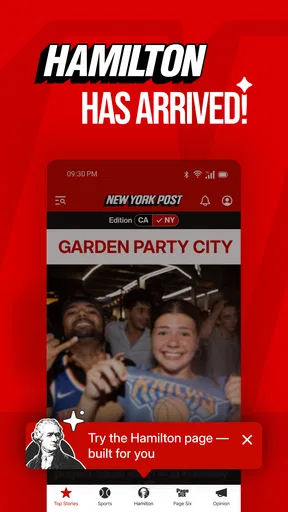
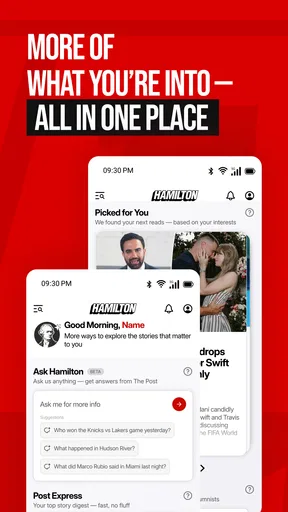
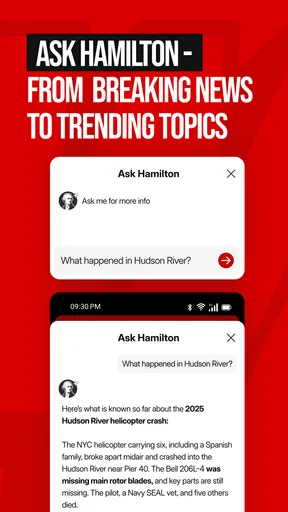
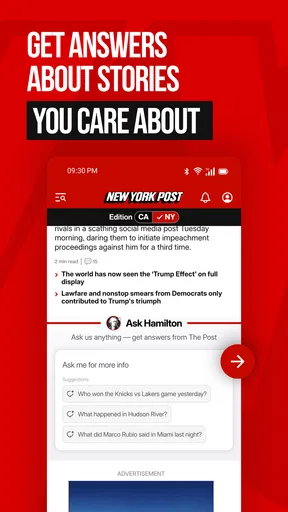




 Analysis by AppCompare
If you want a quick way to check headlines, sports updates, and entertainment news from one familiar publication, the New York Post app is a straightforward place to start. I found it most useful when I wanted a fast overview rather than a slow, deeply researched reading session. The tone is lively and direct, and the mix of news, sports, and celebrity coverage gives the app a broad appeal for casual daily browsing.
At the same time, this is not the app I would choose as my only source for serious news. Its strongest quality is speed and variety, while its weaker side is that the energetic presentation can make the experience feel more like headline scanning than calm, comprehensive reporting. That distinction matters before you install it.
What to expect from the New York Post app
The New York Post is a free news and magazine app from NYP Holdings, Inc. It is aimed at readers who like checking what is happening across current events, sports, and celebrity stories without moving between several separate apps. The app is rated for Teen users, and its broad subject mix makes it easy to open casually, even when you have only a few minutes.
When I use it, I think of it as a fast-moving newsstand. I can skim the latest headlines, stop when a story catches my attention, and then return later for a different section. That makes it a practical companion during a commute, a lunch break, or the quiet few minutes before bed. It is less suited to someone who wants every article presented with the same restrained tone or who prefers a tightly focused publication.
The app has been available since August 16, 2011, and its current version is 5.0.3. It supports devices running OS 9 or later. Those details are useful for first-time users because an older phone or tablet may need an operating system check before installation. The app is also established rather than experimental, with over 500 thousand installs, although its average rating is 3.4 from around 13 thousand ratings. I read that combination as a reason to approach it with realistic expectations: plenty of people use it, but the experience is not universally loved.
My main recommendation is to treat it as a convenient headline and story app, not a complete news routine. I would pair it with a more specialized source if you need detailed financial reporting, local coverage, scientific context, or carefully layered international analysis. For quick awareness and entertainment-oriented browsing, it has a clearer purpose.
Who is likely to enjoy it
This app fits readers who like a strong editorial voice and a mixture of subjects. Sports followers can open it for game-related coverage, while readers interested in celebrity news can move into lighter stories without changing platforms. It also works for people who want one recognizable publication on their phone instead of building a large collection of individual news apps.
Worth Reading Before You Choose

EA SPORTS FC Mobile 26 Is a Bigger Football Game, but It Takes Time

Flipboard Shows What News Apps Must Do Beyond the Feed

Switching to Android Auto Means Rethinking Your Driving Routine

Google Calendar Makes a Crowded Week Easier to Manage

Ludo King Makes the Most of the Minutes Between Plans

Baby Panda World Brings Quick Play to Modern Phones, but Its Game Library Feels Busy
I would especially recommend it to someone who checks news in short bursts. The broad selection means you are more likely to find something relevant even when you do not arrive with a specific topic in mind. That is a different experience from a specialist sports app, where the purpose is obvious but the range is narrower.
Who should choose another option
If your priority is a neutral, low-drama presentation, you may prefer a public broadcaster, a wire-service app, or a publication known for long-form reporting. Those alternatives can be better when you want background, multiple perspectives, or a slower reading experience. Likewise, people who only want local weather, transit alerts, or neighborhood reporting will probably find this app too broad.
I would also hesitate to make it the only app for a student, researcher, or professional who needs to verify important claims through several sources. The New York Post can help you notice a story, but I would still compare significant information elsewhere before acting on it.
From installation to a useful first visit
I’d use this section to make the first visit feel purposeful rather than just tapping through headlines. A quick scan across the app’s different subjects can show whether its mix suits your routine; after that, the next section can focus on choosing a useful way to read without letting the variety pull you off track.
Start by checking compatibility and expectations
Before installing, I would check that the phone runs OS 9 or later and that there is enough room for another news app. Since it is free, the main decision is not financial; it is whether the publication’s style and subject mix suit you. I would also remember that the Teen content rating does not mean every story will feel appropriate for every family’s preferences. News and celebrity coverage can vary in tone, so parents may want to decide whether the app belongs on a shared device.
Once installed, open it when you have enough time to look around rather than judging it from a single headline. The first useful step is to identify how the main news flow is organized and where sports or celebrity coverage appears. I find that this small orientation period prevents a common mistake: assuming the app is only for general news when its appeal comes from the combination of sections.
Make the first meaningful action a deliberate scan
For a first successful session, I suggest choosing three stories with different purposes: one current-events article, one sports item, and one entertainment story. Read enough of each to decide which kind of coverage you would actually return for. This is more helpful than opening one sensational headline and deciding that the entire app is either excellent or disappointing.
A useful routine is to scan the headlines first, then open only the stories that answer a question you already have. For example, if friends are discussing a sports result, I would use the app to get the basic update, then move to a more specialized source if I wanted statistics or detailed analysis. If I am simply looking for something interesting to read, I can stay longer and browse the entertainment or celebrity material.
That workflow also helps control the app’s biggest temptation: endless headline hopping. The variety is convenient, but it can turn a short check into a noisy sequence of half-read articles. I get more value when I decide whether I am using the app for awareness, a specific update, or casual reading before opening it.
Use the app as a starting point for important stories
One of the less obvious trade-offs is the difference between discovery and verification. A lively headline can be useful because it tells me what people may be talking about. However, when the subject affects money, health, safety, work, or a major personal decision, I do not stop with one article. I compare it with another reputable source and look for the original details.
This is not a criticism unique to one publication; it is a sensible habit for any fast news app. The New York Post is particularly effective at getting my attention, so I need to be intentional about slowing down when the topic deserves more context. In practice, that means saving the key claim mentally, checking another source, and separating confirmed information from commentary.
Understand the presentation before judging the content
The app’s personality is part of its identity. Headlines can feel punchy and the subject range can shift quickly from serious news to sports or celebrity coverage. Some readers will find that engaging, while others may find the changes in tone distracting. I would not install it expecting the quiet, uniform layout of a specialist publication.
For me, the best approach is to use the app when I want a broad, energetic overview. When I want to concentrate on one subject for a long time, I prefer opening a dedicated source. That simple division of labor makes the app more useful and prevents it from being judged against a purpose it was never meant to serve.
Common points of confusion for new users
A first-time reader may wonder whether the app is mainly a newspaper replacement, a sports reader, or a celebrity-news feed. In my experience, it is better understood as a blend of all three, with general news providing the wider frame. If one section dominates your interest, you may need to browse past the other material rather than expecting the entire app to be tailored to you.
Another possible confusion is the difference between a headline and a complete understanding of an event. A headline is an invitation to read, not a substitute for the article or for broader context. I try not to form a firm opinion from the front page alone, especially when a story is developing or emotionally charged.
Some users may also interpret the 3.4 average rating as a warning to avoid the app entirely. I would not make that decision from the number alone. Ratings often reflect personal preferences about design, editorial tone, advertising, updates, or expectations. The more useful question is whether you want this publication’s particular mix of fast news, sports, and celebrity coverage. If yes, the app may still be worthwhile; if not, a higher-rated alternative in a different style may serve you better.
Practical ways to keep browsing focused
I recommend opening the app with a small goal. “I want the main news overview” is different from “I want sports coverage” or “I need something light to read.” Giving yourself that purpose makes it easier to ignore sections that do not matter during that visit.
Another helpful habit is to read one article fully before opening several more. This lets you judge whether the writing style and depth meet your needs. If you repeatedly find yourself wanting more background, use the app for discovery and then switch to a publication that specializes in analysis. If you mainly want fast updates and an entertaining range of subjects, staying within the app may feel more natural.
I would also avoid treating every notification or prominent headline as urgent. News apps are designed to bring attention to new stories, but not every new item deserves an immediate interruption. Checking at a time that works for you keeps the app useful instead of letting it dictate your day.
How it compares with familiar alternatives
Compared with a dedicated sports app, the New York Post offers less of a single-purpose experience but gives me more variety in one place. A sports specialist is the better choice when I need schedules, scores, standings, or detailed team coverage. The Post is more convenient when sports is only one of several topics I want to follow.
Compared with a general news aggregator, this app gives me a clearer editorial identity. An aggregator can collect articles from many outlets and may be better for comparing coverage. The New York Post feels more consistent because the stories come through one publication’s voice, but that also means I am seeing a narrower editorial selection.
Compared with a long-form magazine app, it is quicker to browse and easier to use for short visits. The trade-off is depth. If I have an hour to study a complicated issue, I would choose a publication built around investigations, analysis, or essays. If I have five minutes and want to know what is attracting attention, this app is more suitable.
The next step after your first session
After the first visit, I would decide whether the app belongs in my regular rotation based on actual behavior rather than on the download alone. Did I return for sports, general news, celebrity coverage, or simply the convenience of a mixed feed? The answer tells me how to use it efficiently.
If I keep it, I would make it part of a two-source routine: use the New York Post for quick discovery and broad awareness, then consult a more specialized or differently edited source when a story matters. That arrangement takes advantage of its speed without asking it to cover every kind of journalism.
The app is free, which makes trying it low-risk, and the current 5.0.3 release gives first-time users a clear version reference when checking compatibility. Still, free access does not remove the need to consider your reading habits. If you dislike strong editorial voices, prefer only local reporting, or want a carefully neutral and deeply documented news experience, I would skip it.
For everyone else, I think the New York Post is worth testing as a lively mobile news companion. I like it most when I need a quick mixture of current events, sports, and celebrity stories, and I use it with the understanding that attention-grabbing coverage is not the same as complete context. Install it for fast discovery, read with purpose, and use another source when the details truly matter.
Pros
- Fast access to breaking news and New York-focused coverage.
- Covers politics
- entertainment
- sports
- business
- and celebrity stories.
- Clean layout makes headlines easy to scan on a phone.
- Includes photo galleries and video content alongside articles.
- Push alerts can keep readers updated on major developing stories.
Cons
- Some headlines may feel sensationalized or strongly opinionated.
- Advertising can be intrusive while browsing certain sections.
- Article quality and depth may vary between news categories.
- Frequent notifications can become distracting without careful settings.
- Some content or features may require an active subscription.
FAQs for New York Post for Phone
What is New York Post for Phone?
New York Post for Phone is the mobile version of the New York Post news service, designed to deliver breaking news, headlines, opinion pieces, entertainment coverage, sports updates, and lifestyle stories on Android or iOS devices. After installing it, readers can browse a continuously updated feed, open individual articles, and use the app as a more convenient alternative to visiting the newspaper’s website in a mobile browser.
Is New York Post for Phone free to download and use?
The application can generally be downloaded without an upfront fee, allowing users to access at least some news stories and features at no cost. However, availability may vary by article, region, account status, or subscription policy. Some content can be limited by registration, advertising, or a paid subscription, so users should review the current terms shown inside the app before assuming that every article is freely available.
What type of news and content can I read in the app?
The app covers a broad mixture of content associated with the New York Post, including national and local news, politics, crime, business, sports, celebrity and entertainment stories, opinion articles, lifestyle features, and unusual or trending reports. The exact categories and their order may change as news develops. Readers should also remember that opinion content is presented separately from straight news reporting.
Does New York Post for Phone send notifications?
Yes, the app may use push notifications to alert readers about breaking news, major headlines, sports developments, and other selected stories. Notifications can be useful when you want immediate updates, but frequent alerts may feel distracting depending on your preferences. During setup or through the device’s notification settings, you can usually allow, limit, or disable alerts, although the available controls may differ between Android and iOS.
What should I know about privacy, advertisements, and account requirements?
Before downloading, users should expect advertising and data practices typical of a modern news application. The app may collect technical, usage, or device information to operate the service, personalize content, measure performance, or support advertising, according to its current privacy policy. Certain features may also request an account or subscription. Review the permissions, privacy policy, and subscription details in the official store listing before installing.


